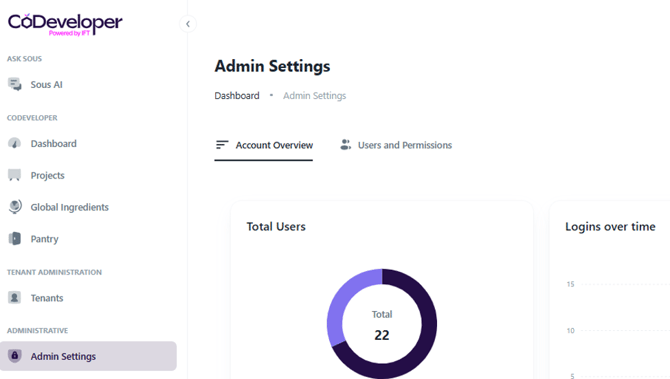
In order to view usage metrics start by clicking on “Admin Settings” from the left hand navigation.
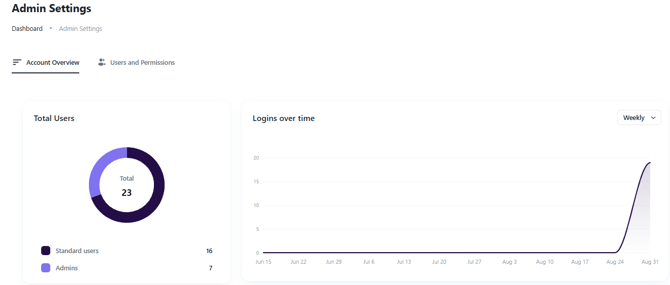
Review Logins Over Time
The Logins Over Time widget displays login activity across your organization, providing a snapshot of platform engagement.
Important: Login data is not retroactive. Tracking began on September 1, 2026, so the widget only includes login activity captured from that date forward.
Review Formulation Activity
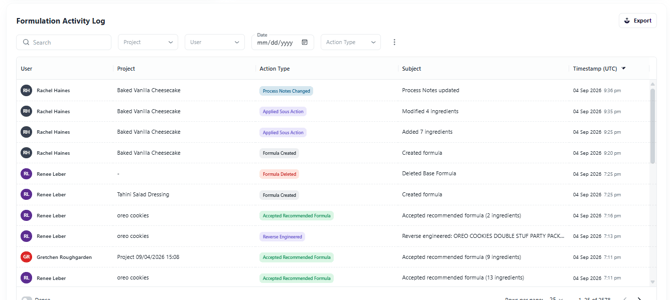
The Formulation Activity Log, previously available as the Tenant Activity Log, is now included directly on the Account Overview page just below the Total Users and Logins over time graphs.
This log provides visibility into formulation-related activity across your organization. Administrators can:
- Review formulation activity
- Filter the available records
- Export the activity log for reporting or sharing with stakeholders
- Review Sous activity records
- Filter activity data
- Export activity data for additional reporting
- Expand a record to view the associated Sous thread and interactions
Review Sous Activity
Beneath the Formulation Activity Log the Sous Activity Log provides visibility into how Sous is being used across your organization.
By default, the Sous Activity Log displays activity from the previous 30 days. Administrators can adjust the date range to review a shorter period or analyze activity across a broader timeframe.
