
- In order to add a user, start by clicking on “Admin Settings” from the left hand navigation.
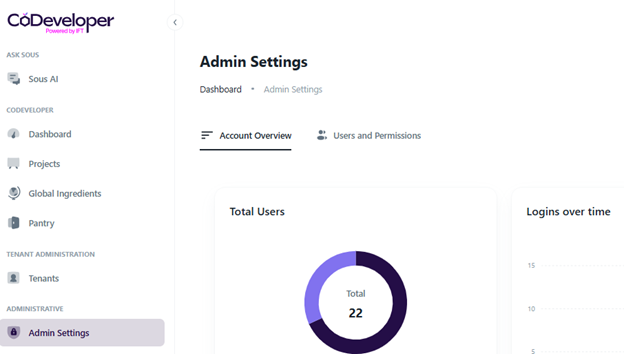
- Click the “Users and Permissions” tab to the right of “Account Overview”.
- Click the button on the right hand side that says “New User”.

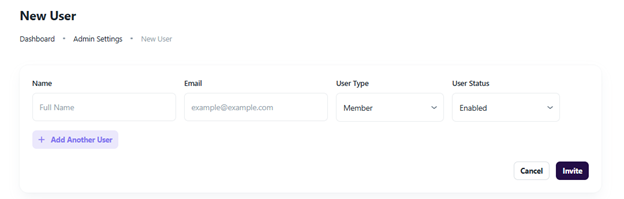
- Fill on the table, then click the purple invite button on the bottom right hand side. Make sure to fill in if the user will be a member of the tenant or another admin of the tenant, this can be edited later.
Troubleshooting and Common Questions
Is there an order to which I have to complete the steps to swap a user?
Yes, you must make sure that you have an open seat within the platform so if you are at seat limit you would need to deactivate another user first.
I would like to increase my seat count.
Please contact groughgarden@ift.org.