
Summary
Create a project directly from a conversation with Sous. When discussing a formulation or product concept, Sous can generate a project using information from the chat, helping you move quickly from ideation to structured development.
Steps
-
Start a conversation with Sous about a formulation or project idea.
-
Look for the Create as a Project button within the chat. If Sous has enough information from the conversation, this button will appear automatically.
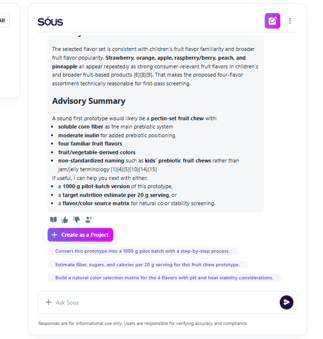
- Click Create as a Project. A project creation window will open with information automatically populated from your conversation with Sous.
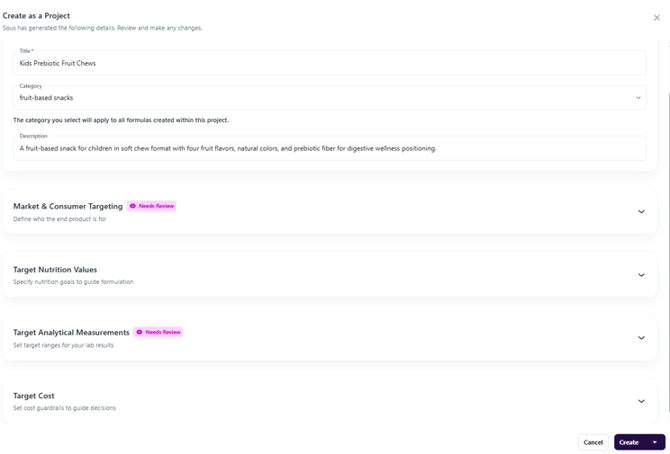
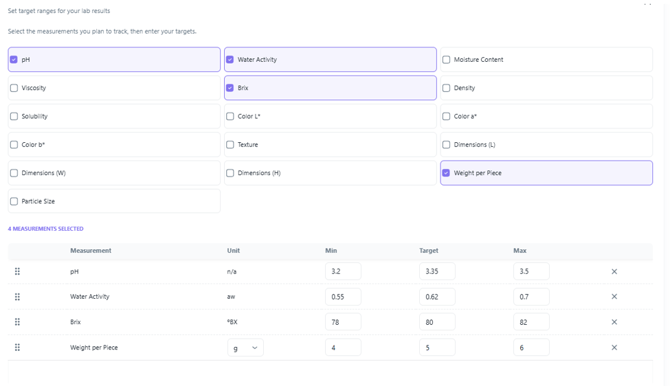
- Review all project details. Fields marked with a pink "Needs Review" label should be carefully checked and confirmed before proceeding. Keep in mind that Sous generates information based on the details available in the chat, so sections such as analytics may contain projected values or assumptions.
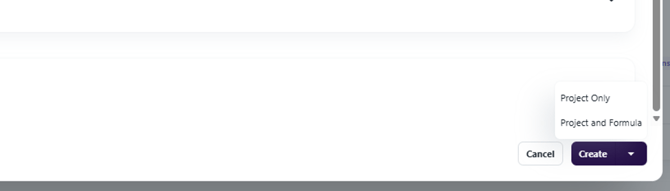
- Click Create at the bottom of the page.
- Choose what you would like to create: Project Only or Project and Formulation. You will be taken to the page from here. The conversation used to create the project will be added to the formulation page for future reference.
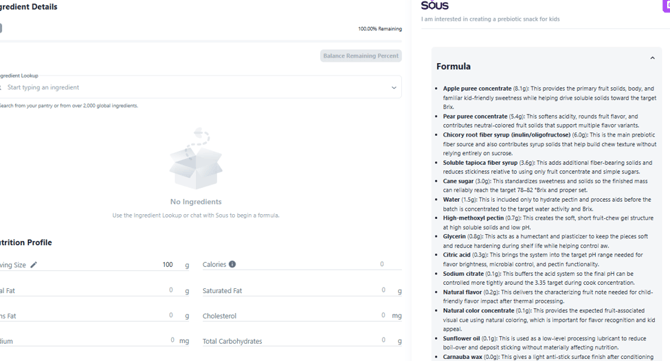
- If you selected Project and Formulation, Sous will begin generating a formulation. The formulation process will be visible within the chat, allowing you to follow Sous's rationale and see how formulation decisions are made.
-
Review the completed formulation. Once generation is complete, use the dropdown menu at the bottom of the page to access available actions.
-
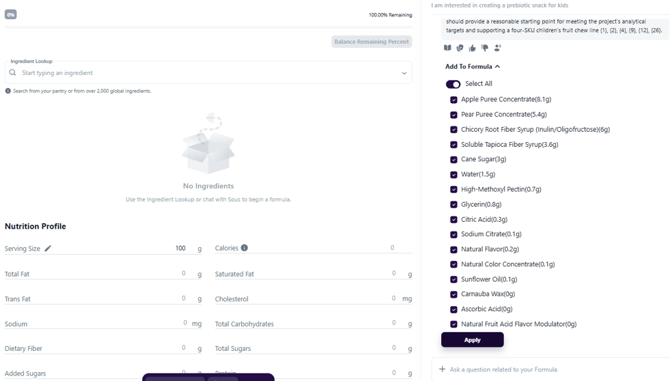
Add ingredients to the formulation (optional). If you choose to add ingredients, they will automatically populate the ingredient table within the formulation, making it easy to continue developing and refining your product.
Troubleshooting and Common Questions
When does the Create as a Project button appear?
The Create as a Project button appears when Sous has enough information from your conversation to generate a project. It will display directly within the chat when available.
What information is included when I create a project from a conversation?
Sous automatically populates project fields using information discussed in the chat. This may include project details, objectives, and analytical estimates based on the conversation.
Can I edit the information before creating the project?
Yes. You can review and modify any project information before clicking Create.
Can I continue working on the formulation after it is created?
Yes. After the formulation is generated, you can continue editing, refining, and adding ingredients as part of your development process.